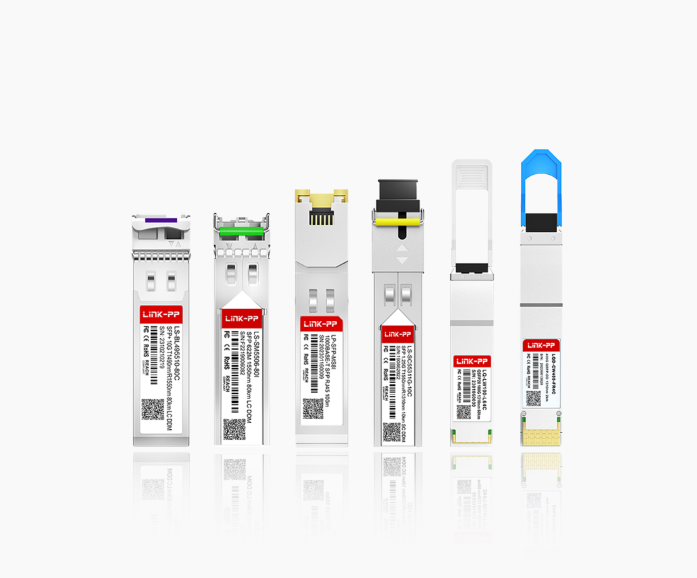
Modern networks are constantly evolving, but copper-based Ethernet infrastructure remains widely deployed in offices, campuses, data centers, and industrial environments. As organizations upgrade switches and routers with SFP ports while still relying on traditional RJ45 cabling, the SFP to RJ45 module has become an essential bridge between fiber-oriented hardware design and copper Ethernet connectivity.
This article provides a comprehensive guide to SFP to RJ45 transceivers. We will first explain what an SFP to RJ45 module is and how it works, then compare copper SFP modules with fiber SFP modules. Next, we’ll explore the main types of SFP to RJ45 module available, highlight its benefits, discuss typical application scenarios, and outline key deployment and maintenance considerations. Finally, we’ll answer common questions and summarize why these modules play a crucial role in modern network infrastructure.
💠 What is SFP to RJ45
An SFP to RJ45 module is a highly adaptable network optical transceiver that enables Ethernet connectivity over standard copper twisted-pair cables through an SFP port. It allows network devices equipped with SFP slots to communicate with RJ45-based Ethernet infrastructure.
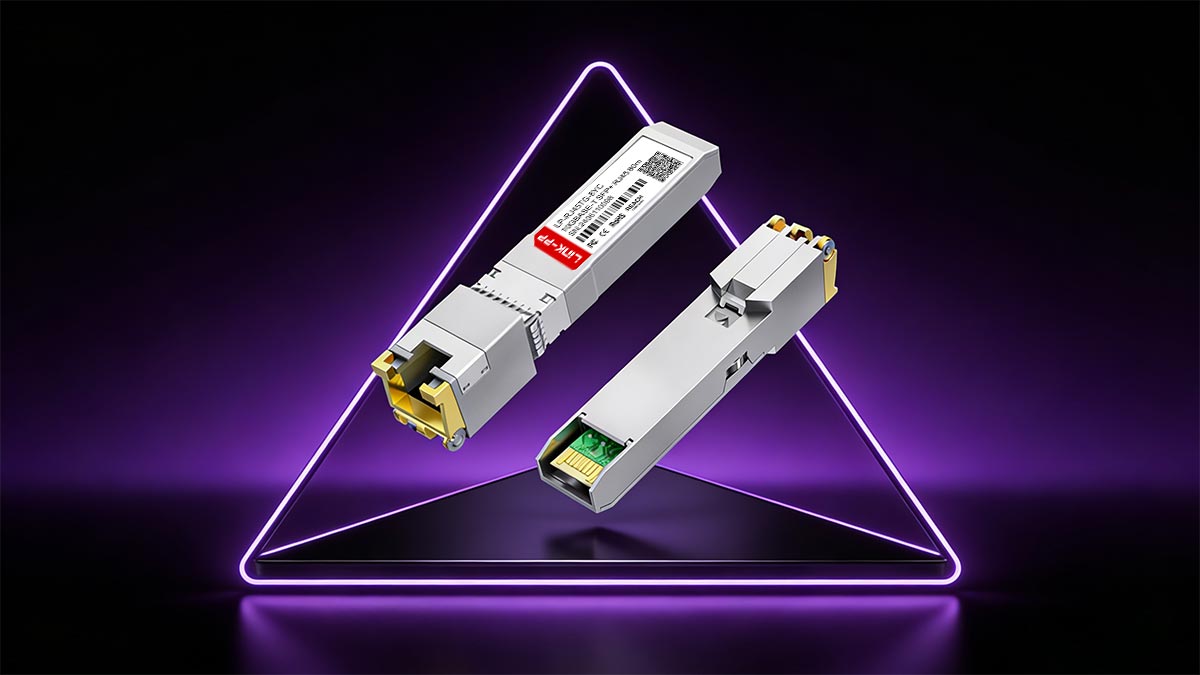
SFP to RJ45 Meaning
“SFP” stands for Small Form-factor Pluggable, a standardized, modular interface used in switches, routers, and other networking equipment. “RJ45” refers to the common 8P8C connector used for Ethernet connections over copper cables such as Cat5e, Cat6, or Cat6a.
An SFP to RJ45 module, therefore, is a copper SFP module that fits into an SFP slot and provides an RJ45 Ethernet port. Instead of transmitting optical signals over fiber cable, it converts electrical signals to support copper-based Ethernet communication, effectively combining the flexibility of SFP interfaces with the practicality of RJ45 cabling.
Working Principle of A SFP to RJ45 Transceiver
The working principle of an SFP to RJ45 transceiver is based on electrical signal conversion rather than optical transmission. When inserted into an SFP port, the module interfaces with the host device through a standardized electrical connection. Inside the module, a PHY chip processes Ethernet signals and converts them into the appropriate format for transmission over twisted-pair copper cables.
Data is transmitted using Ethernet standards such as 10BASE-T, 100BASE-T, 1000BASE-T, or 10GBASE-T, depending on the module type. The copper cable carries electrical signals using differential signaling to reduce noise and interference. On the receiving end, the module decodes incoming electrical signals and sends them back to the host device via the SFP interface, ensuring seamless bidirectional communication.
Key Features of A SFP to RJ45 Module
SFP to RJ45 transceiver module is designed to combine the flexibility of modular SFP interfaces with the practicality of copper Ethernet connectivity. Beyond basic signal conversion, it integrates multiple technical features that ensure reliable performance in diverse networking environments.
Plug-and-Play Design
SFP to RJ45 modules are designed for simple installation. Once inserted into an SFP port, they are usually recognized automatically by the switch or router. No complex configuration is required, which reduces setup time and minimizes network downtime.
Auto-Negotiation Support
These modules support auto-negotiation to automatically match the speed and duplex mode of the connected device. A 10/100/1000BASE-T module, for example, can adjust to different network speeds. This ensures stable connectivity and compatibility with both new and legacy equipment.
Standard Copper Cabling Compatibility
SFP to RJ45 modules work with common twisted-pair cables such as Cat5e, Cat6, and Cat6a. They typically support transmission distances up to 100m, depending on the speed and cable type. This allows businesses to reuse existing copper cabling infrastructure.
Integrated PHY Chip and Advanced Signal Processing
Each module contains an integrated Ethernet PHY chip to manage signal encoding and decoding. Built-in technologies like noise filtering and crosstalk reduction help maintain stable data transmission. This ensures reliable performance even in electrically noisy environments.
💠 Difference between SFP to RJ45 Copper SFP & Fiber SFP
While both SFP to RJ45 Copper SFP and Fiber SFP modules serve the same function of enabling flexible network connections, they differ in their transmission medium, distance, and use cases. Understanding these differences can help you determine which module best suits your network infrastructure requirements.
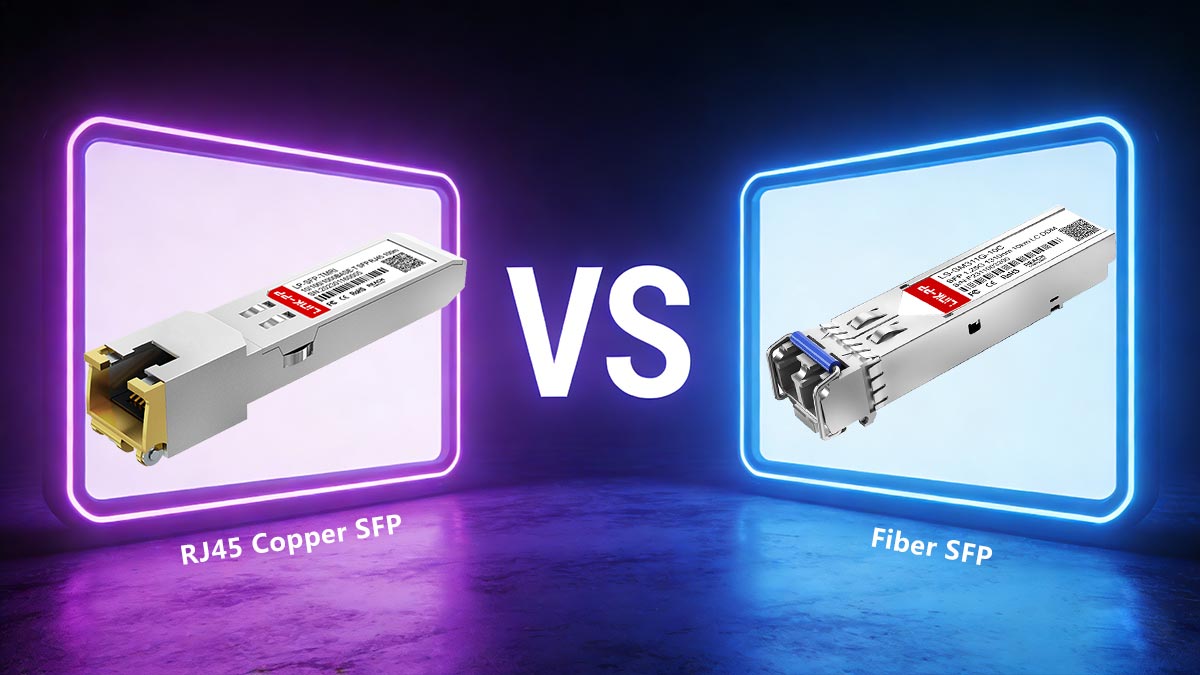
SFP to RJ45 Copper SFP vs. Fiber SFP
Copper SFP modules use twisted-pair copper cables (e.g., Cat5e, Cat6) for Ethernet transmission, while fiber SFP modules rely on fiber-optic cables for signal transmission. These two types of modules have distinct characteristics when it comes to transmission speed, distance, and network use case. Below is a detailed comparison of the two:
| Feature |
SFP to RJ45 Copper SFP |
Fiber SFP |
| Transmission Medium |
Twisted-pair copper cable (Cat5e, Cat6, Cat6a, etc.) |
Fiber optic cable (OS1,OS2, OM1, OM2, OM3, OM4, OM5) |
| Distance |
Up to 100m |
Up to 120km |
| Transmission Speed |
Support speeds from 10Mbps up to 10G |
Support speeds from 1G up to 800G |
| Power Consumption |
Moderate |
Lower |
| Use Case |
Short-range connection in offices, data centers, and edge networks |
Long-distance links between buildings, campuses, or network cores |
| Cost |
Lower |
Higher |
When to Use Copper SFP or Fiber SFP
Copper SFP modules are best suited for shorter distances (typically under 100m) and for situations where existing copper cabling (Cat5e, Cat6) is already in place. They are commonly used in small and medium enterprise network environments, where speed requirements do not exceed 10Gbps. Copper SFP is often more cost-effective, making it ideal for connecting devices such as workstations, servers, and network switches in close proximity.
On the other hand, fiber SFP modules are preferred when long-distance communication is required. Fiber-optic cables can transmit data over vast distances (up to 120km) with minimal signal loss and interference. These modules are typically used in large-scale campuses or to connect different buildings within a campus. Fiber SFP modules are also better suited for environments with high electromagnetic interference (EMI), where copper connections would suffer from noise or degradation.
The choice between the copper and fiber SFP module depends on the distance, data speed requirements, and the network environment. Copper SFP modules are ideal for short-range, cost-effective installations, while fiber SFP modules are more suited for long-distance, high-speed, and interference-resistant applications.
💠 Main Types of SFP to RJ45 Module
SFP to RJ45 modules come in several types, mainly defined by the Ethernet speed they support and whether they can adapt across multiple speeds. Choosing the right type helps you match existing cabling, connected device capability, and distance requirements without overpaying or underperforming.
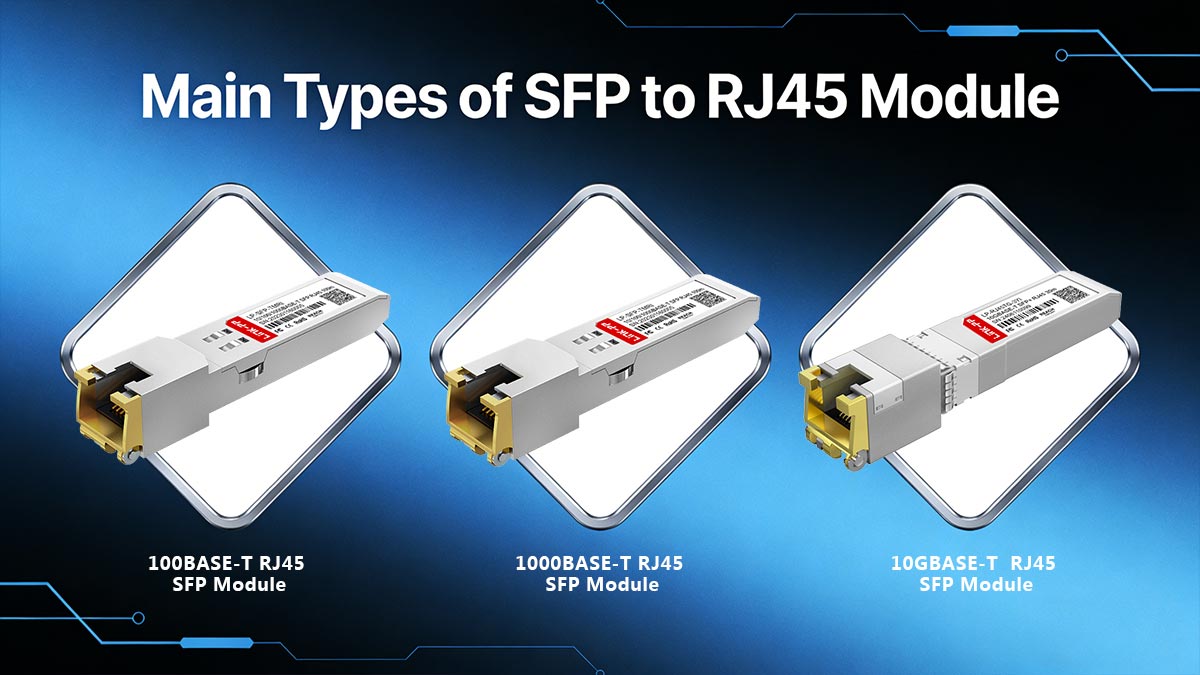
10BASE-T RJ45 SFP Module
10BASE-T RJ45 module supports 10Mbps Ethernet over standard RJ45 copper cabling. It is mainly used for legacy systems, basic industrial controllers, or older network equipment where bandwidth needs are very low. In modern networks, it’s uncommon, but it can still be useful when you must maintain compatibility with outdated endpoints.
100BASE-T RJ45 SFP Module
100BASE-T RJ45 module runs at 100Mbps, offering a middle ground between legacy 10M links and gigabit networks. It’s often used in access or edge network layers, connecting devices such as IP phones, printers, and basic switches. These transceivers balance decent speed with low power consumption, making them a cost-effective choice for moderate bandwidth needs.
1000BASE-T RJ45 SFP Module
1000BASE-T SFP is the most widely deployed type, supporting 1Gbps Ethernet over copper (typically up to 100m with Cat5e or better). It is ideal for connecting switches to copper-based access networks, linking servers or NAS devices, and extending gigabit connectivity to areas where fiber is not installed.
10/100/1000BASE-T RJ45 SFP Module
10/100/1000BASE-T module is a multi-rate option that can automatically operate at 10Mbps, 100Mbps, or 1Gbps. It’s especially useful in mixed environments where you may plug into different devices with different speed capabilities (legacy endpoints + modern gigabit devices). This flexibility reduces the need to stock multiple module types and makes upgrades smoother because the same module can remain in place as endpoints change.
10GBASE-T RJ45 SFP Module
10GBASE-T SFP supports 10Gbps Ethernet over RJ45 copper cabling, designed for higher-performance links such as server uplinks, high-speed storage access, or switch-to-switch connections where fiber is not practical. Because 10GBASE-T requires more processing, these modules typically consume more power and generate more heat than 1G versions, so switch compatibility and airflow matter more. Cable quality is also stricter — Cat6a or Cat7 is commonly recommended for reaching the 80m distance at 10G.
💠 Benefits of Using SFP to RJ45 Transceiver
SFP to RJ45 transceiver offers both flexibility and efficiency in modern copper-based networks. It allows seamless integration between fiber-capable network switches and traditional Ethernet infrastructure while minimizing cost and installation complexity.
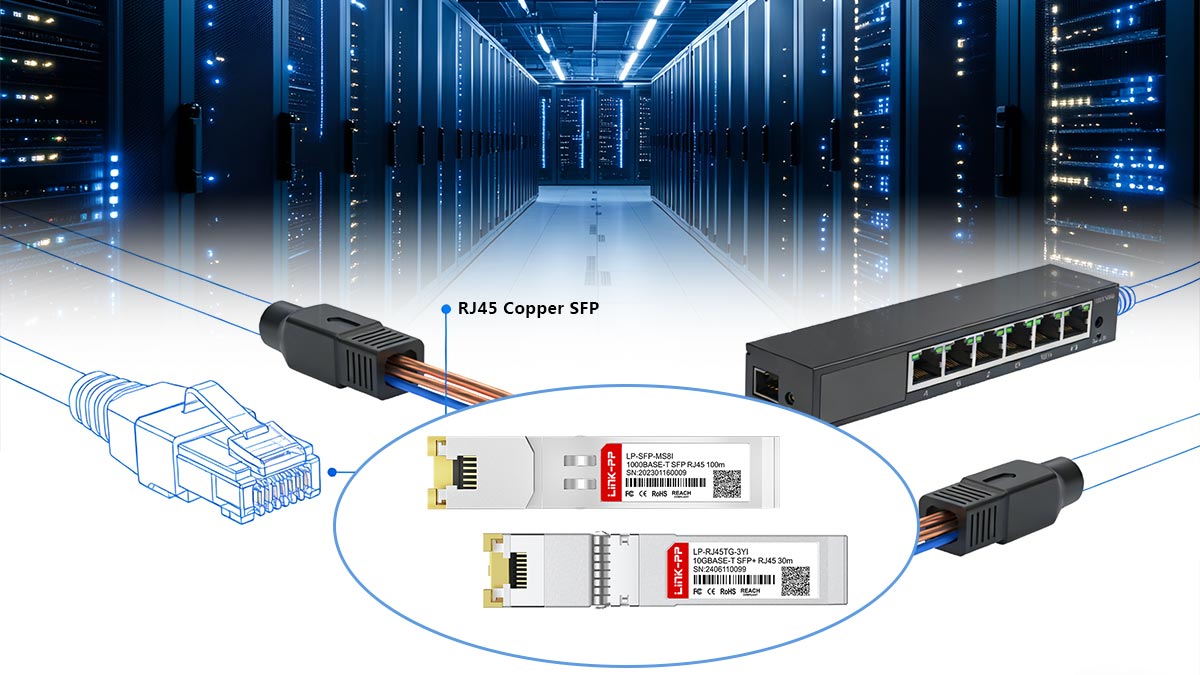
Flexible Connectivity for Copper-Based Networks
One of the key advantages of using an SFP to RJ45 module is its ability to extend the connectivity options of a network device. Instead of being limited to fiber connections, switches or routers equipped with SFP slots can use an RJ45 transceiver to connect directly to standard Cat5e, Cat6, or Cat6a copper cabling. This flexibility supports easy migration between copper and fiber environments, helping network engineers adapt to mixed infrastructure without replacing existing hardware.
Cost-Effective Network Upgrades and Expansion
SFP to RJ45 transceivers significantly reduce the expense of network expansions. Instead of purchasing new copper ports or additional switches, businesses can insert these modules into existing SFP slots. This plug-and-play solution makes it possible to reuse existing copper cables, which are generally cheaper and easier to install than fiber optics, leading to lower total cost of ownership. They also allow incremental upgrades — organizations can start with copper links for short distances and later transition to fiber optic modules as bandwidth needs grow.
Broad Compatibility with Switches and Routers
SFP to RJ45 transceivers are designed to comply with MSA (Multi-Source Agreement) standards, ensuring reliable compatibility across various brands of switches, routers, and network interface cards. This interoperability simplifies deployment in heterogeneous network environments where multiple vendors’ devices coexist. Also, many modules support auto-negotiation of speed (10/100/1000Mbps or even 10G), ensuring stable link performance without manual configuration.
💠 What is SFP to RJ45 Module Used for
The SFP to RJ45 module is primarily used to bridge high-speed optical platforms with traditional copper Ethernet networks. It enables network administrators to extend, upgrade, and interconnect different types of equipment efficiently within existing infrastructures.
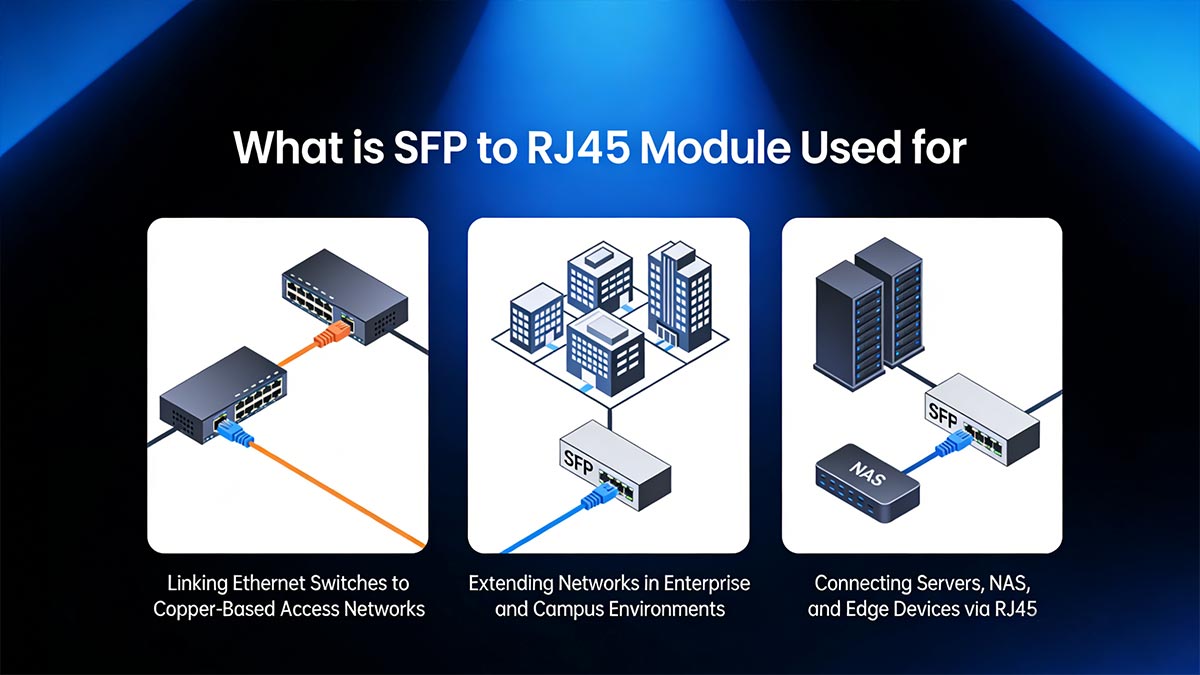
Linking Ethernet Switches to Copper-Based Access Networks
One of the most common uses of SFP to RJ45 modules is connecting switches in data centers or aggregation layers to copper-based access networks. These transceivers allow devices with SFP slots to interface directly with Cat5e, Cat6, or Cat6a cabling, eliminating the need for media converters. For instance, a network switch equipped with a standard SFP port can connect directly to a server or workstation using copper Ethernet cabling through an SFP to RJ45 module.
Extending Networks in Enterprise and Campus Environments
In enterprise and campus environments, where fiber-optic backbone links are commonly used for long-distance data transmission, SFP to RJ45 modules help extend connectivity to areas served by existing copper cabling. These modules act as interface converters, enabling high-speed network access for copper-connected devices located away from the main fiber infrastructure (within the supported copper distance, typically up to 100m).
Connecting Servers, NAS, and Edge Devices via RJ45
SFP to RJ45 modules are also commonly used for connecting servers, network attached storage (NAS) devices, and edge devices via RJ45 copper cabling. In data centers or enterprise networks, devices that are often deployed at the network's edge may need to be connected back to centralized servers or storage units that use fiber-optic connections. The SFP to RJ45 module allows seamless communication between high-speed fiber-optic networks and copper-based access networks, ensuring efficient data transmission between different types of equipment.
💠 Deployment Considerations for SFP to RJ45 Modules
Proper deployment of SFP to RJ45 modules ensures stable performance, reduced signal loss, and long-term reliability. Key considerations include cabling standards, speed compatibility, and thermal management.
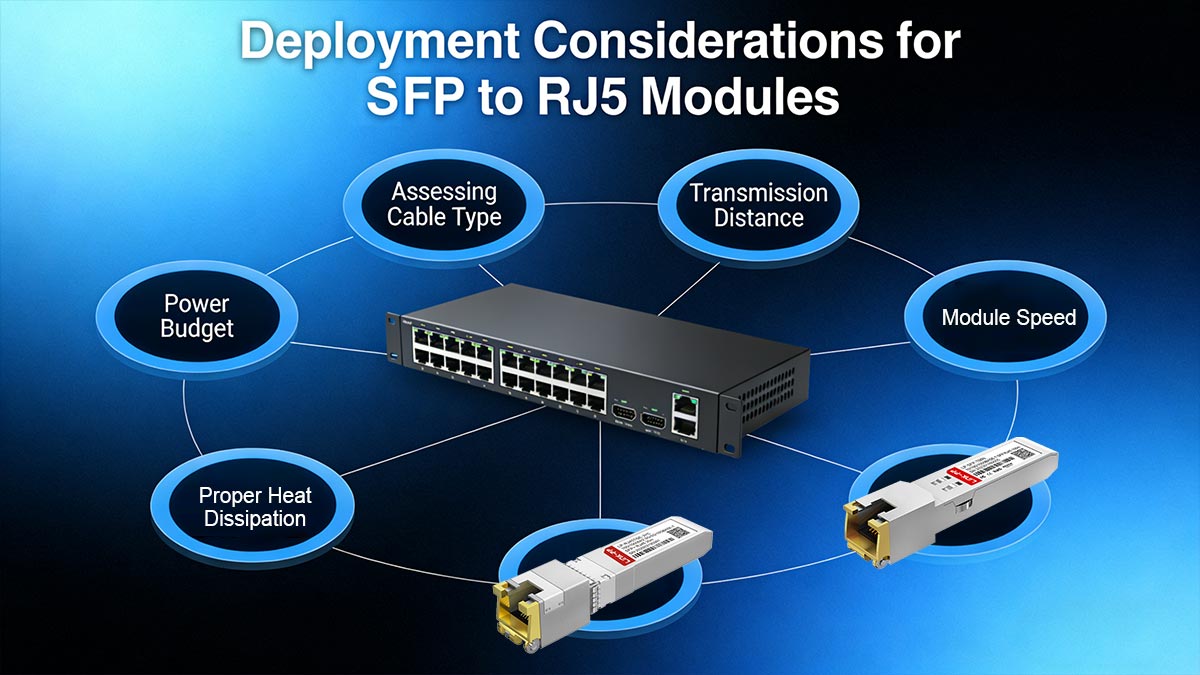
Assessing Cable Type and Transmission Distance
Verify cable category requirements:
- 1000BASE-T modules typically support up to 100m over Cat5e or higher.
- 10GBASE-T modules usually require Cat6a or Cat7 to achieve full 100m performance.
- Using lower-category cables may limit bandwidth or prevent stable 10G operation.
Confirm maximum transmission distance:
- Exceeding recommended cable length can cause signal attenuation and CRC errors.
- For 10GBASE-T SFP modules, the distance may drop to 30m – 55m when using Cat6.
- Always calculate the total link length, including patch panels and intermediate connections.
Evaluate cable installation quality:
- Poor termination, loose connectors, or excessive cable bending can degrade signal integrity.
- Avoid tight bends that exceed the cable’s minimum bend radius.
- Ensure RJ45 connectors are properly crimped and securely inserted.
Matching Module Speed with Network Equipment
Ensure physical interface compatibility:
- Standard SFP ports typically support up to 1G speeds.
- 10GBASE-T copper modules require SFP+ ports due to higher bandwidth and power demands.
- Inserting a 10G module into a non-SFP+ slot will not function and may trigger port errors.
Align supported data rates and fallback behavior:
- Some 10GBASE-T SFP+ modules support multi-rate operation (10G/5G/2.5G/1G).
- Confirm whether the module supports auto downshift when connected to lower-speed devices.
- Mismatched speed capabilities may result in link failure or unstable negotiation.
Verify auto-negotiation and duplex settings:
- Most copper SFP modules rely on auto-negotiation to establish speed and duplex mode.
- Disabling auto-negotiation on one end while leaving it enabled on the other can cause duplex mismatch.
- Duplex mismatch often leads to late collisions, packet retransmissions, and reduced throughput.
Ensuring Proper Heat Dissipation and Power Budget
Understand the power consumption of copper modules:
- SFP to RJ45 modules, especially 10GBASE-T variants, consume significantly more power than fiber SFP modules.
- Typical 1G copper SFP modules consume around 1W–1.5W, while 10GBASE-T SFP+ modules may require 2.5W–3.5W or more.
- The higher power draw is due to integrated PHY chips, DSP processing, echo cancellation, and forward error correction.
Ensure adequate airflow and cooling design:
- Confirm that the switch chassis supports front-to-back or back-to-front airflow aligned with rack design.
- Avoid blocking ventilation holes with cable bundles.
- Maintain proper rack spacing to support hot aisle/cold aisle airflow patterns in data centers.
Monitor operating temperature in real time:
- Many enterprise switches provide DOM (Digital Optical Monitoring) or sensor-based temperature readings.
- Regularly check module temperature via CLI or network management systems.
- Persistent high temperatures can shorten module lifespan and increase bit error rates.
💠 Maintenance Tips for SFP to RJ45 Module
Proper maintenance ensures SFP to RJ45 transceiver modules operate reliably, deliver stable transmission, and achieve their maximum lifespan. Regular inspection, cleaning, and monitoring help prevent link failures and improve network efficiency.
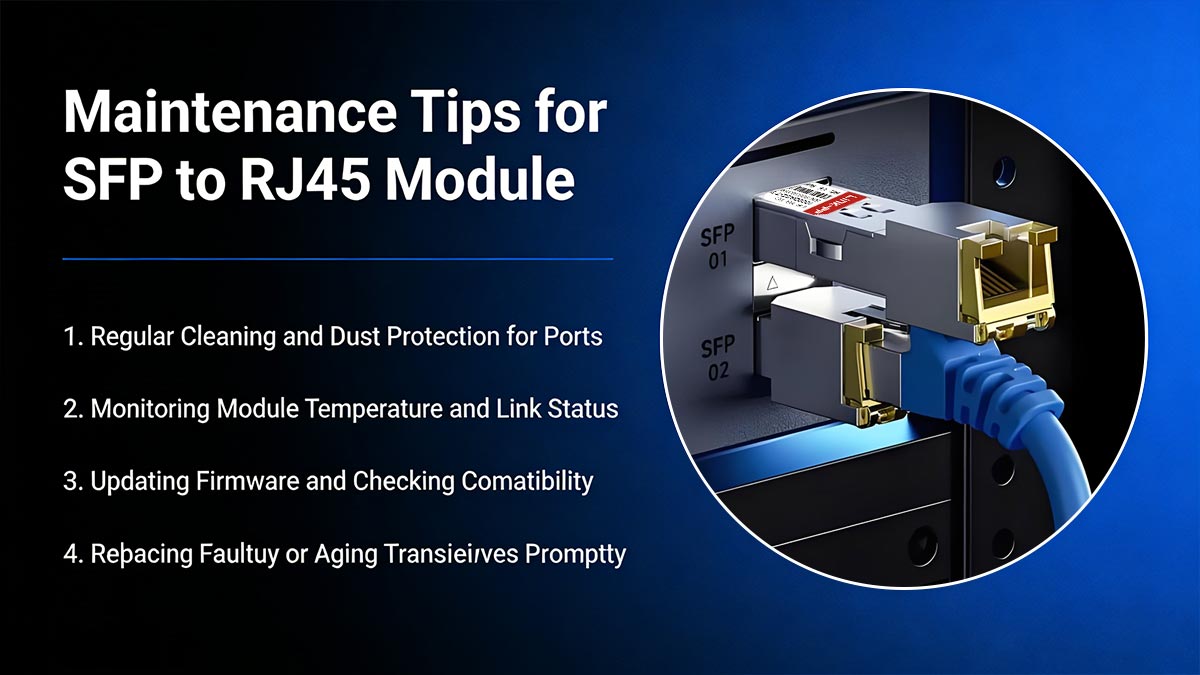
Regular Cleaning and Dust Protection for Ports
Dust or debris in SFP cages and RJ45 connectors can lead to poor connections, higher signal loss, or intermittent link drops. To prevent this, always keep unused SFP ports covered with dust plugs and clean optical cages or connectors periodically using lint-free swabs and air dusters. Handle transceivers by the edges, and never touch the electrical contacts or plug surfaces directly to avoid static discharge or contamination.
Monitoring Module Temperature and Link Status
SFP to RJ45 transceivers generate significant heat during operation, particularly in high-speed or high-density environments. To ensure reliable performance, monitor module temperatures regularly through your switch’s management interface. Maintain proper ventilation by spacing modules appropriately and keeping airflow paths unobstructed to prevent overheating. Additionally, routinely checking link status indicators helps identify unstable or failing connections at an early stage.
Updating Firmware and Checking Compatibility
Firmware updates are essential for improving SFP to RJ45 module performance and security. Periodically check for firmware updates from the manufacturer and ensure that they are compatible with your network equipment. Incompatibility or outdated firmware can lead to issues such as connectivity drops, slower data transmission, or security vulnerabilities. Make sure the firmware is updated according to the manufacturer’s instructions to avoid any disruptions in network performance.
Replacing Faulty or Aging Transceivers Promptly
SFP to RJ45 modules have a finite lifespan, and over time, they may become faulty or less efficient due to aging components. It is essential to replace aging or malfunctioning modules promptly to avoid network disruptions. If you notice frequent disconnections, slow speeds, or error messages, the transceiver may need to be replaced. Regularly inspect modules for physical signs of wear and tear, such as loose connectors or damaged pins, which may require immediate replacement to maintain network reliability.
💠 FAQs about SFP to RJ45 Transceiver Module
What problem does SFP to RJ45 module solve in real-world network?
The SFP to RJ45 module bridges the gap between SFP-based network hardware and existing copper Ethernet cabling. It allows seamless integration of legacy copper infrastructure with modern switches or routers that only offer SFP ports, reducing the need for costly hardware upgrades.
Why do SFP to RJ45 modules generate significant heat?
Unlike optical transceivers, SFP to RJ45 modules handle electrical signal processing through internal PHY chips and DSP circuitry. This process requires more power and generates heat, especially in 10GBASE-T versions, which perform advanced functions such as echo cancellation and error correction.
Can I use Cat6 cable for SFP to RJ45 copper SFP module connections?
Yes, Cat6 cable is commonly used with SFP to RJ45 copper modules. For speeds up to 1Gbps, Cat5e or Cat6 cables are suitable, while for 10Gbps speeds, Cat6a or higher cables are recommended to ensure optimal performance.
How far can a SFP to RJ45 transceiver transmit data?
Typical SFP to RJ45 transceivers support data transmission up to 100m over standard Cat5e or better cabling. The actual range depends on the cable quality, category, environmental interference, and supported Ethernet speed.
Are SFP to RJ45 transceivers compatible with all switch brands?
Most SFP to RJ45 transceivers comply with MSA (Multi-Source Agreement) standards, ensuring broad compatibility across different switch and router brands. However, some manufacturers lock their equipment to “brand-verified” modules, so it’s best to confirm compatibility or use modules that explicitly state multi-vendor support.
💠 Conclusion: Why SFP to RJ45 Transceivers Matter for Modern Networks
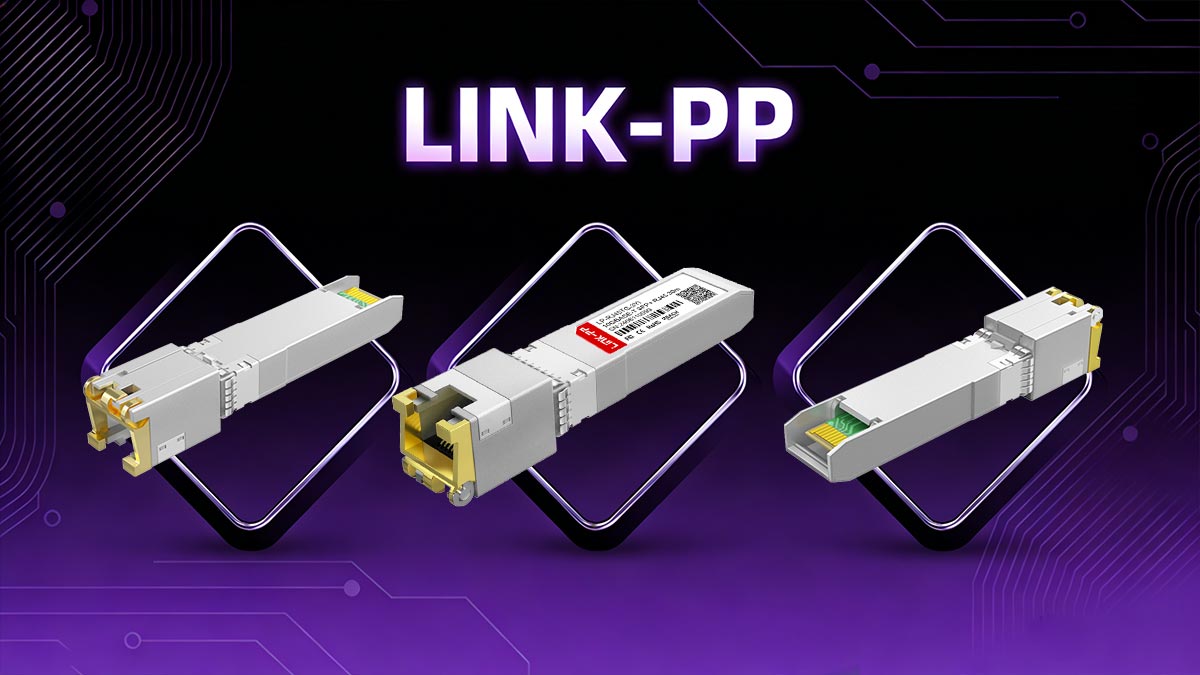
SFP to RJ45 transceiver modules enable network engineers to bridge the divide between copper and fiber infrastructures seamlessly. They provide cost-effective flexibility for organizations upgrading to modular hardware without abandoning their existing Ethernet cabling. Whether you are extending gigabit access to legacy systems or connecting switches and servers in a mixed network, these modules ensure efficiency, scalability, and reduced total cost of ownership.
As modern networks evolve, the ability to adapt quickly to hybrid environments becomes increasingly valuable. By combining the modular design of SFP interfaces with the practicality of copper Ethernet connections, SFP to RJ45 modules remain a cornerstone of network adaptability.
If you are planning a network upgrade or need to extend copper connectivity from SFP-based switches, choosing reliable transceivers is critical. Visit the LINK-PP official store to explore enterprise-grade SFP to RJ45 modules that are engineered for long-term performance in data centers, campus networks, and industrial environments.